Track shoe mileage and cost per kilometre
Open You → Shoes to see shoe mileage, add a purchase price and set the distance at which the app reminds you to retire a shoe. The page takes its shoe data from Strava.
Read the mileage view
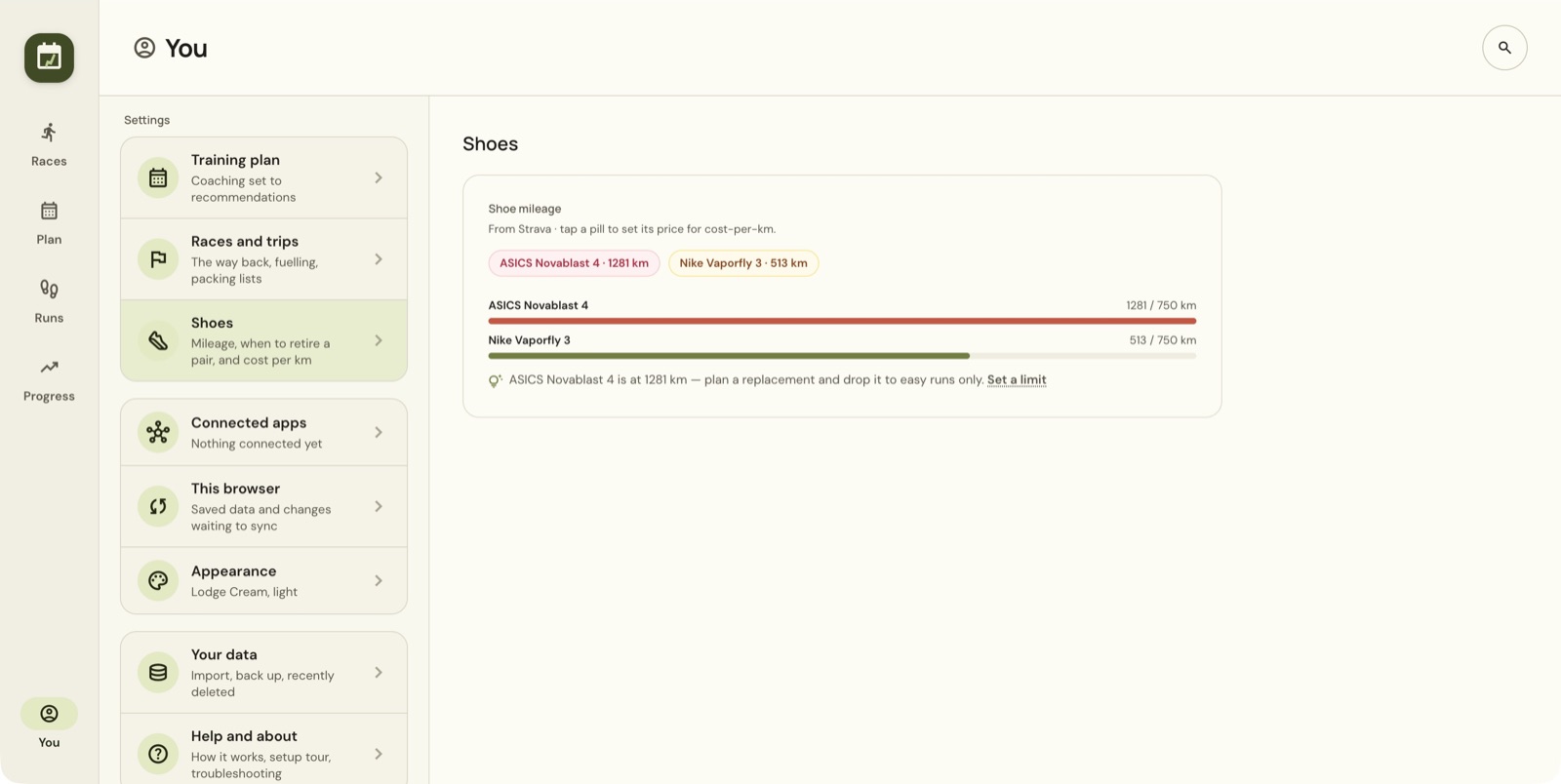
The page labels its shoe information as coming from Strava. Each shoe pill shows a name and distance; the bars compare mileage with the wear limit. The example has one pair beyond its 750 km limit and another below it.
A reminder reflects the distance limit you set. It does not measure physical wear or tell you whether a pair is still suitable to run in.
Add the purchase price
- Select a shoe pill to reveal Price paid for [shoe].
- Enter the price you paid.
- Choose Save.
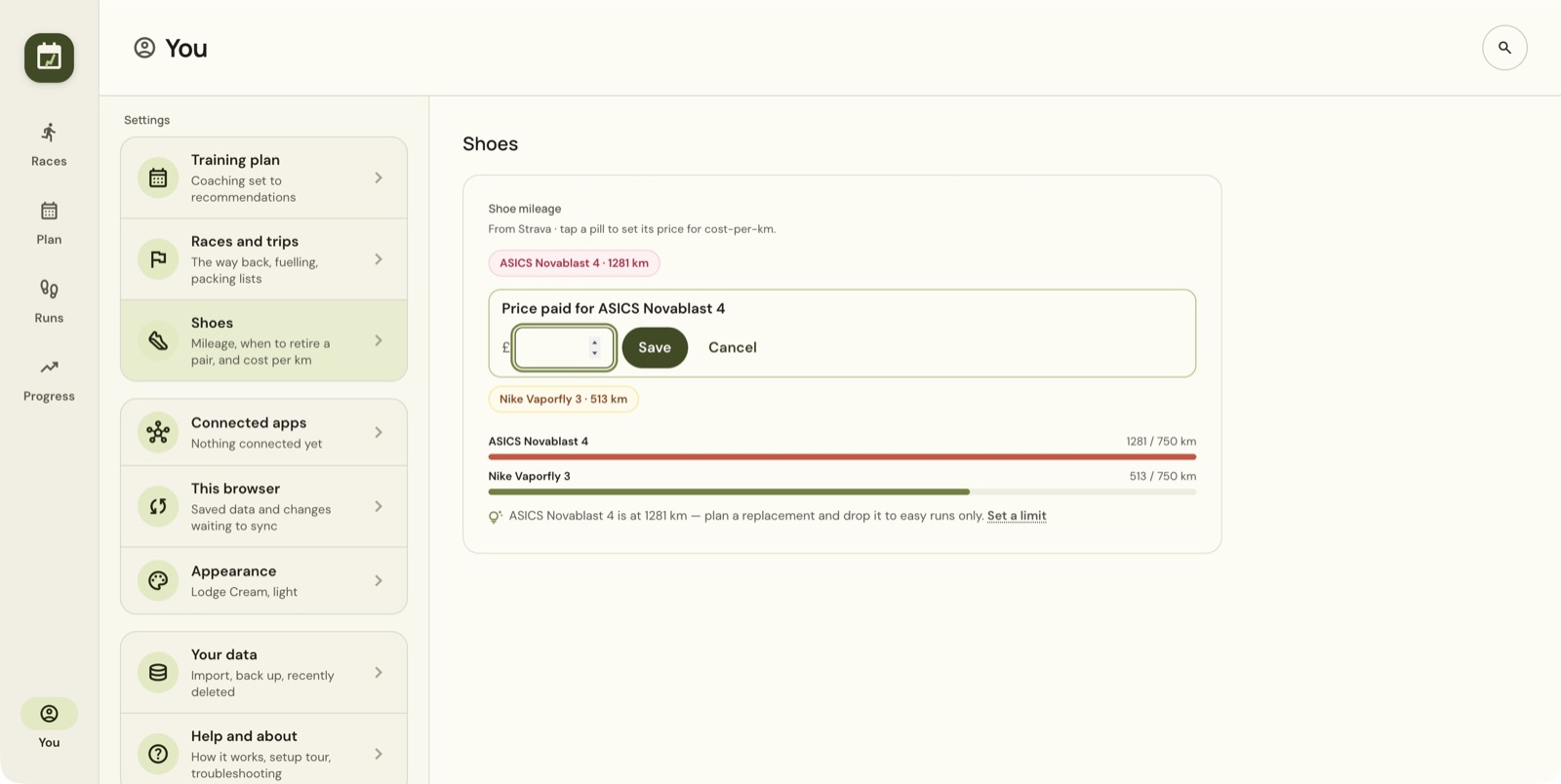
The page uses the price for cost-per-kilometre tracking. Choose Cancel if you only wanted to inspect the entry.
For example, a price of 120 divided by 600 km is 0.20 per kilometre. Your figure depends on your saved price and the mileage the app uses. Check the mileage label before comparing totals from different views or services.
Set a reminder limit
Choose Set a limit beside the shoe reminder.
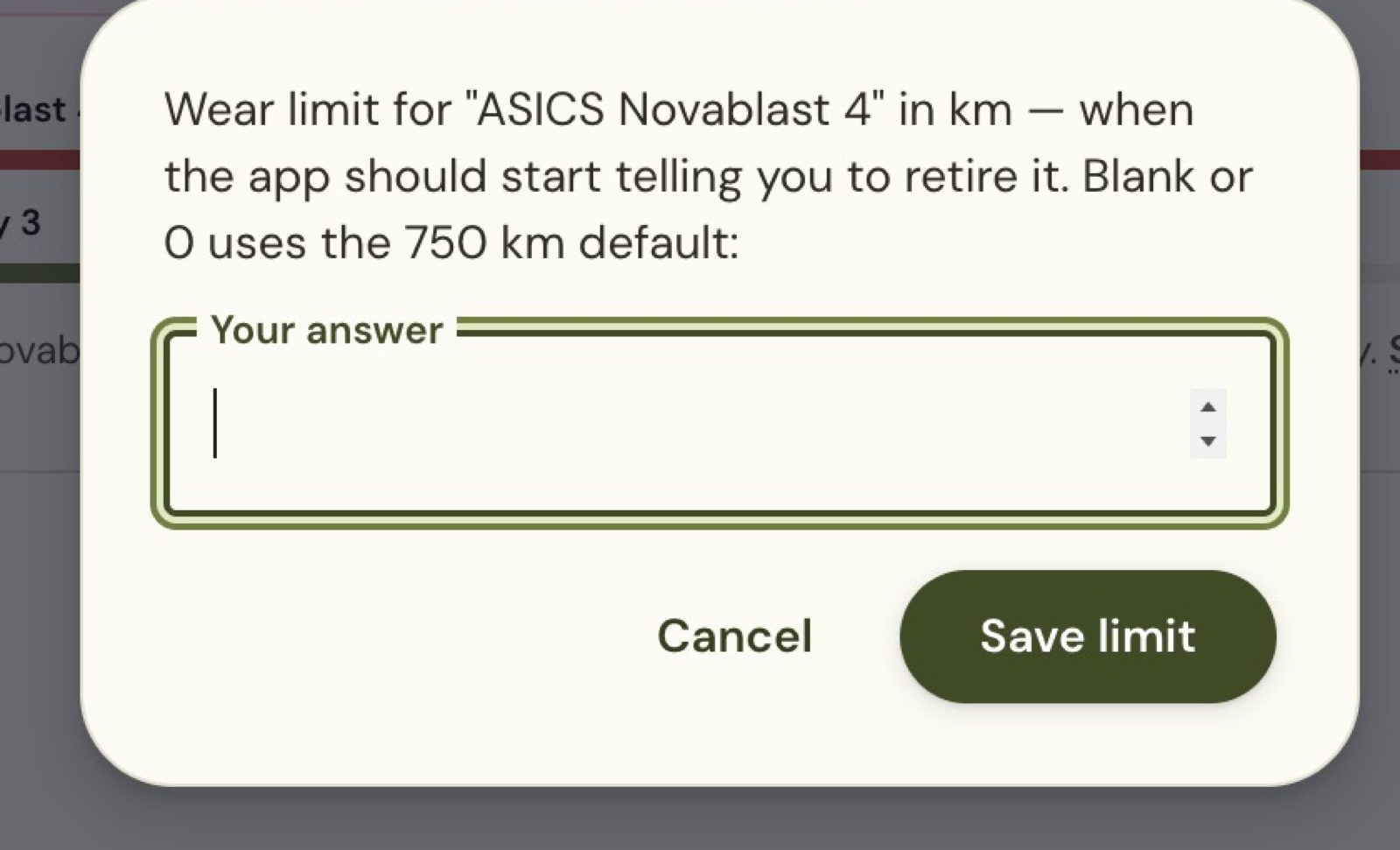
Enter a distance in kilometres and choose Save limit. The dialog says a blank value or 0 uses the default of 750 km. Use Cancel to leave the existing setting unchanged.
The threshold controls when the app starts suggesting retirement. A higher limit only moves the reminder. Run details may also show shoe milestones, such as passing 500 km, which are not the retirement limit.
If a shoe or mileage looks wrong
Check You → Connected apps → Strava and the shoe assigned to the original activity. A run's Form & terrain section shows its shoe when available, which helps you trace a surprising total back to its recordings.
Shoe mileage comes from Strava. If a pair's distance stops moving, check that Strava is still connected under You → Connected apps.
Still stuck? Email [email protected] and say which page you were on.