Add your first race
Add a race from the listings or enter its details yourself. Set its status so the app knows whether you are thinking about entering, planning to run or already registered.
Find a listed race
Open Races → Find a race. Enter a name, town or country in the search field, then check the distance and date before choosing a result.
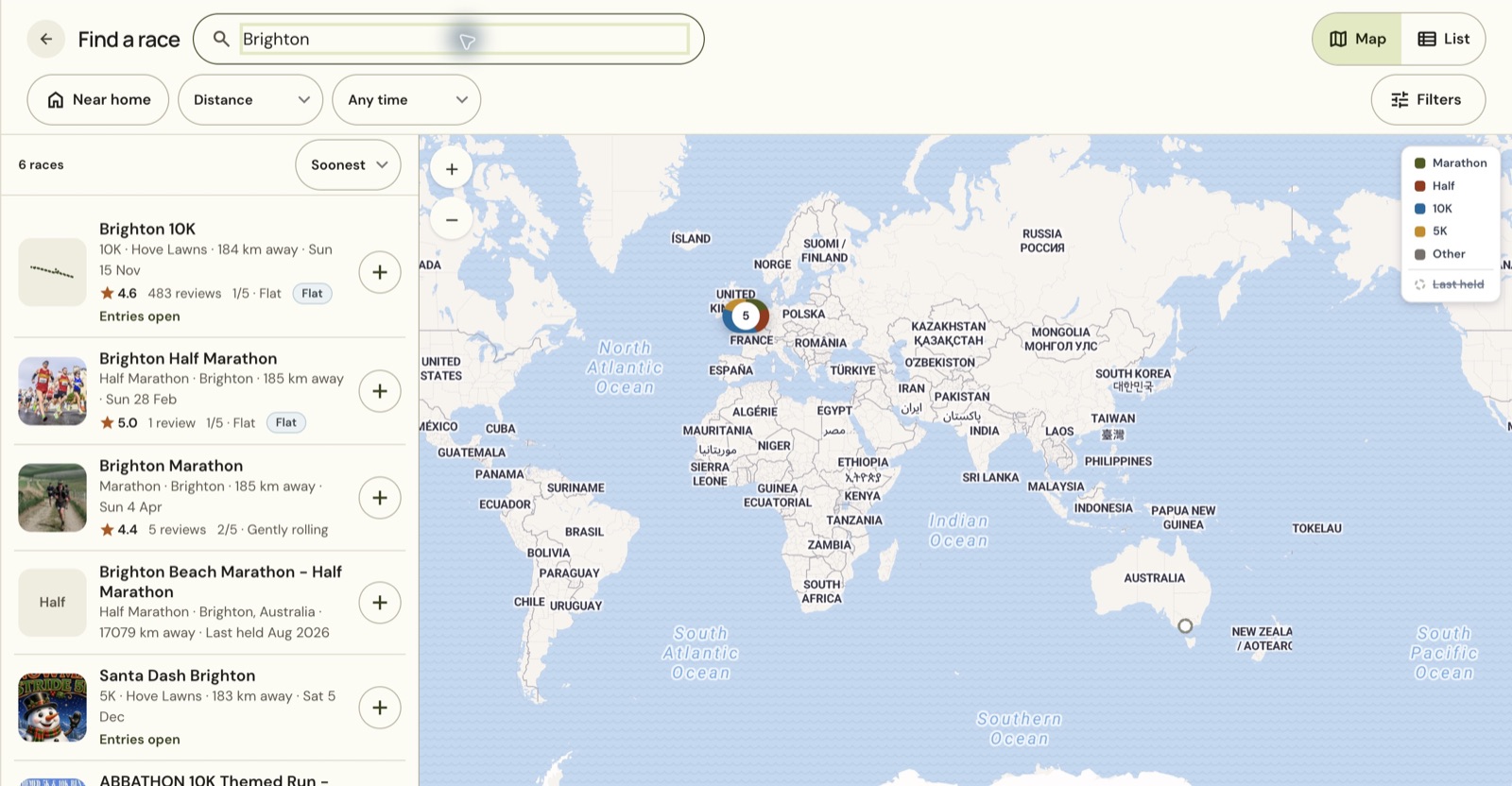
Select the race in the list. In Map view, selecting the result can first reveal Open race beside it. Choose Open race to see the preview with the course outline, weather and official links.
Read the course notes before using the outline to plan your race. Brighton's preview labels its outline as a 2025 reference and says the 2027 route may differ. Historical weather describes past conditions, not a forecast for your race day.
Choose your race status
Choose Add race in the preview. The next screen asks where you are with the race.
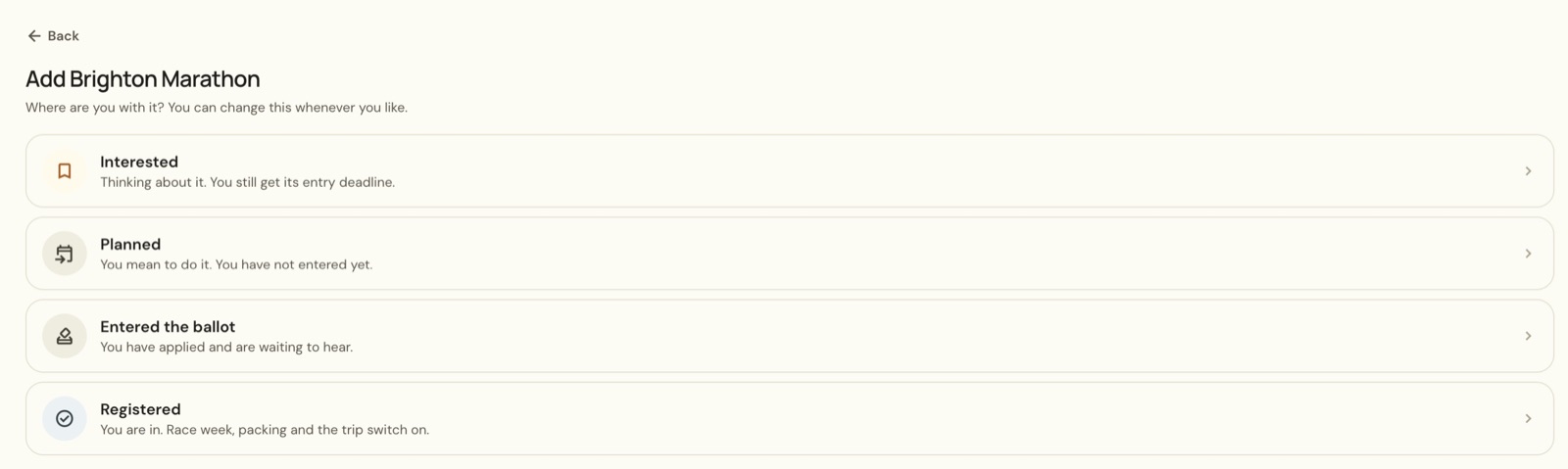
Choose Interested when you are thinking about the event. Choose Planned when you intend to run but have not entered. Choose Registered once you have a place. Entered the ballot is available when you have applied and are waiting for an answer.
Adding a race to the app does not enter you in the event. Use the organiser's official entry process to get a place. The example adds Brighton as Planned, so it appears in Coming up with that status.
Add a race by hand
- Return to Races.
- Choose New race.
- Under General info, fill in Race name, Race date, Distance and Location.
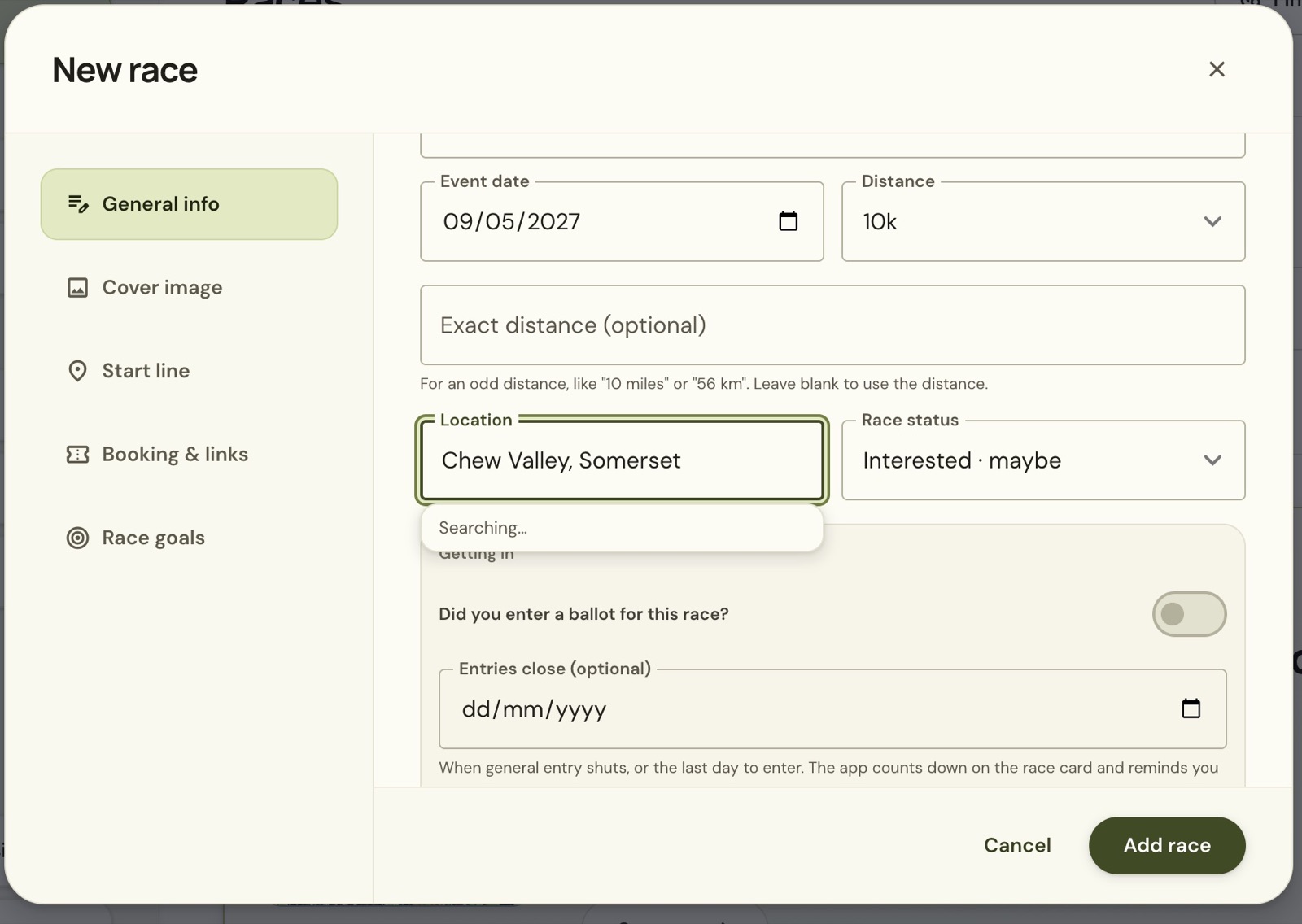
Use Exact distance (optional) for an unusual distance. Leave it blank when the selected distance already describes the race. Set Race status, then add a website or entry deadline if you have one.
Choose Add race to save. A manually entered race starts with the details you supply. A listed race already has information attached to its listing, such as a picture, course reference or typical weather, where those details are available.
Edit the saved race
Open the race from Races and choose Edit race. Use General info to update the date, place or status. The other sections hold the cover image, start line, booking links and race goals.
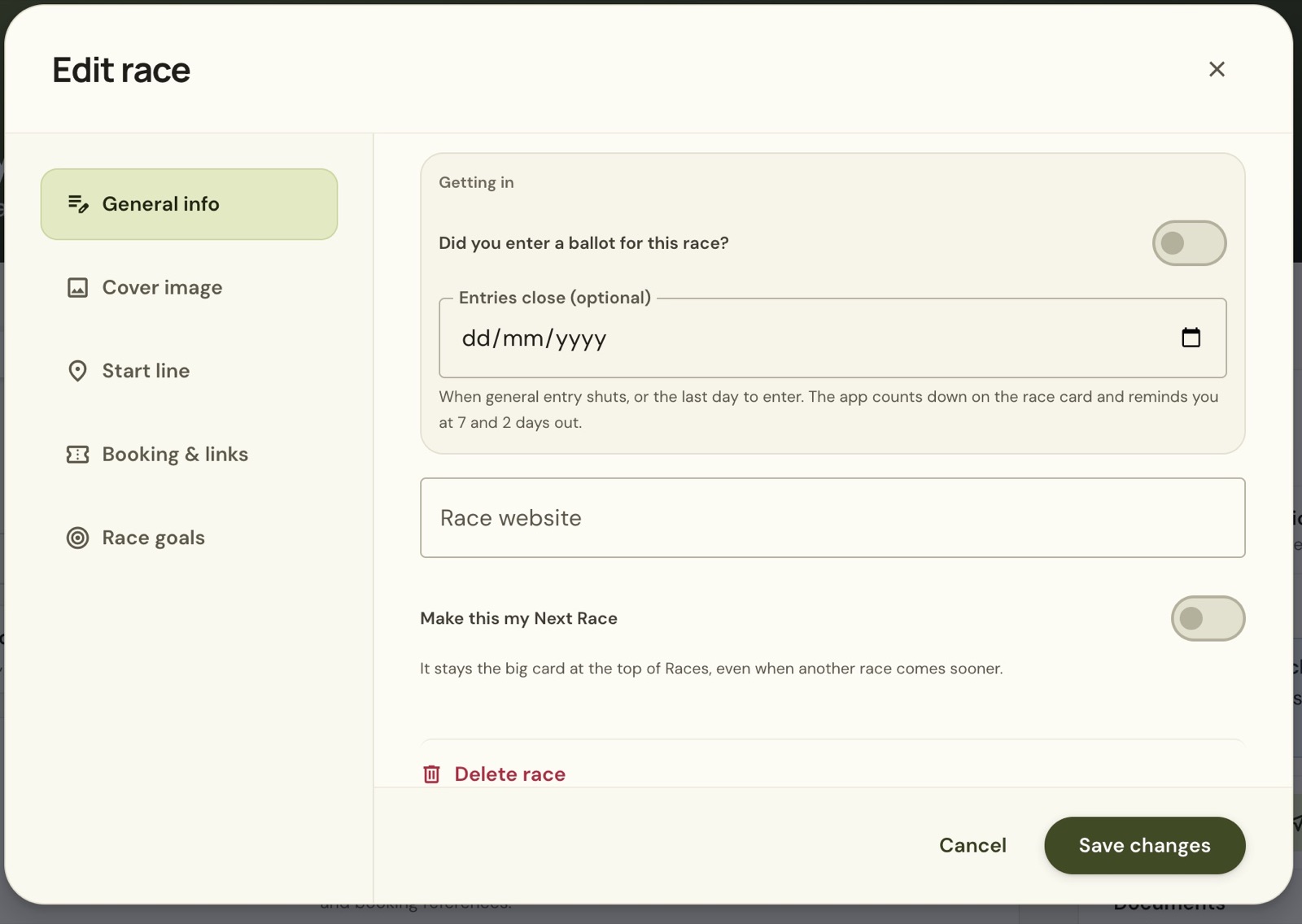
When your entry is confirmed, change the status to Registered and choose Save changes. Check the saved race page afterwards so the date and status match your plans. Cancel leaves the editor without saving the changes.
Still stuck? Email [email protected] and say which page you were on.