Use In the Running offline
Keep the race details you need close at hand when the signal drops. The app saves information as you use it, and changes you make without signal wait until a connection is back.
Prepare this browser before travelling
While you have a connection, open You → This browser. Under Saved for offline, read the summary of what is already held on this device.
Your races, plan, runs, trips and any course you have opened are saved as you use them. Before leaving, open the race you are travelling to, look through its trip and packing list, and let the course finish loading if you will need it. Information you have not opened may still need a connection.
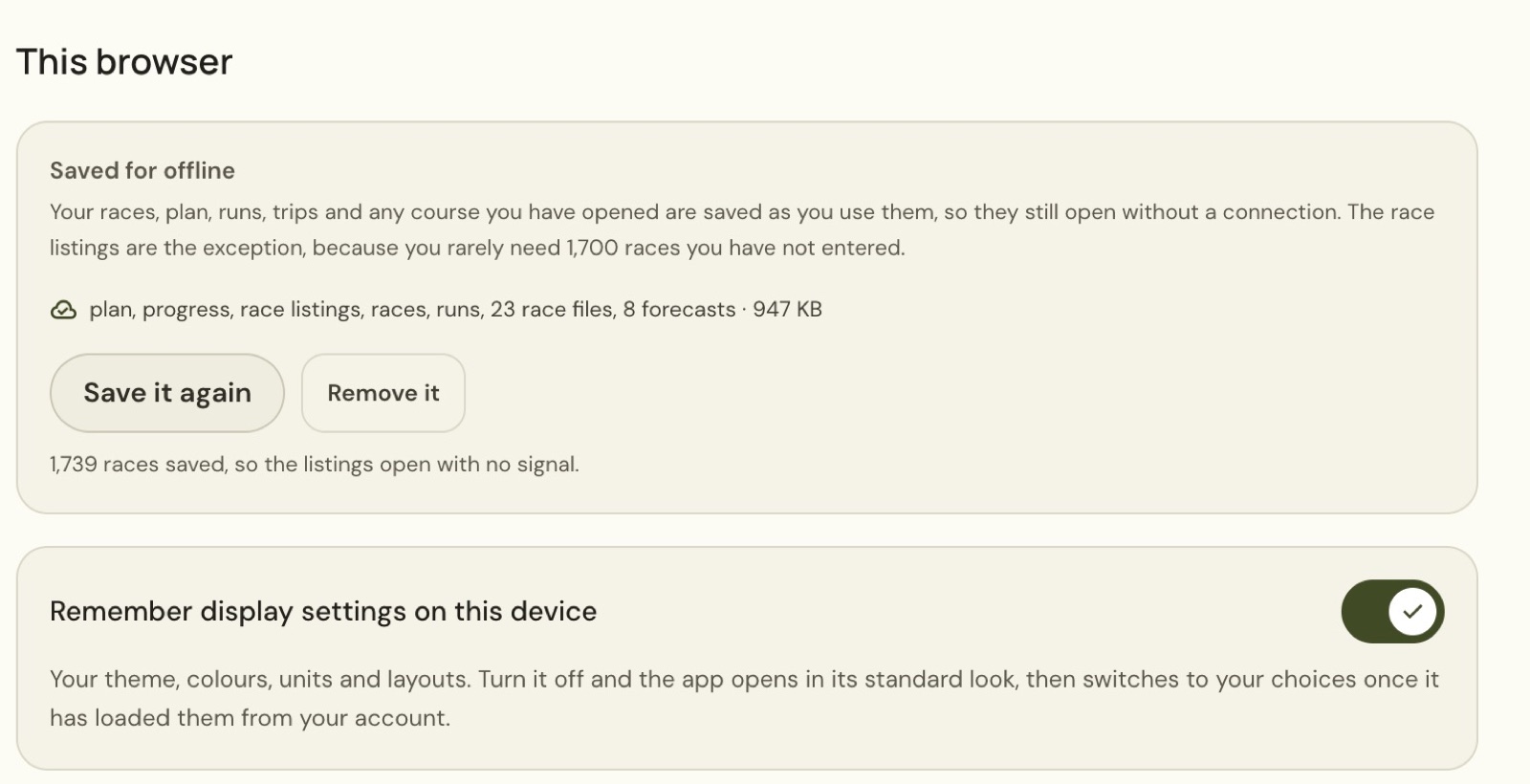
Prepare the browser and device you will take with you. A copy saved on your computer does not cover another device, so check This browser there too.
Save the race listings if you need them
The full race listings are a separate choice. Before they are saved, This browser offers Save the race listings and says the listings need a connection.
Choose Save the race listings while online. Once it finishes, the screen shows how many races were saved. The example has 1,739 races available with no signal; the number may change as the listings grow.
Save it again refreshes that copy when you have a connection. Remove it removes the locally saved listings. Saved listings let you browse races away from a reliable connection, including races not yet in your calendar.
Keep packing when the connection drops
- Open Races.
- Choose your race.
- Select Packing.
- Type an item into Add item.
- Choose Add.
Your existing items and packed count remain available. The item appears in the list and the app holds the change until it can reach the server. In the example, Offline example item appears as a fourth item and the banner reads Syncing 1 change… while the browser’s connection is blocked.
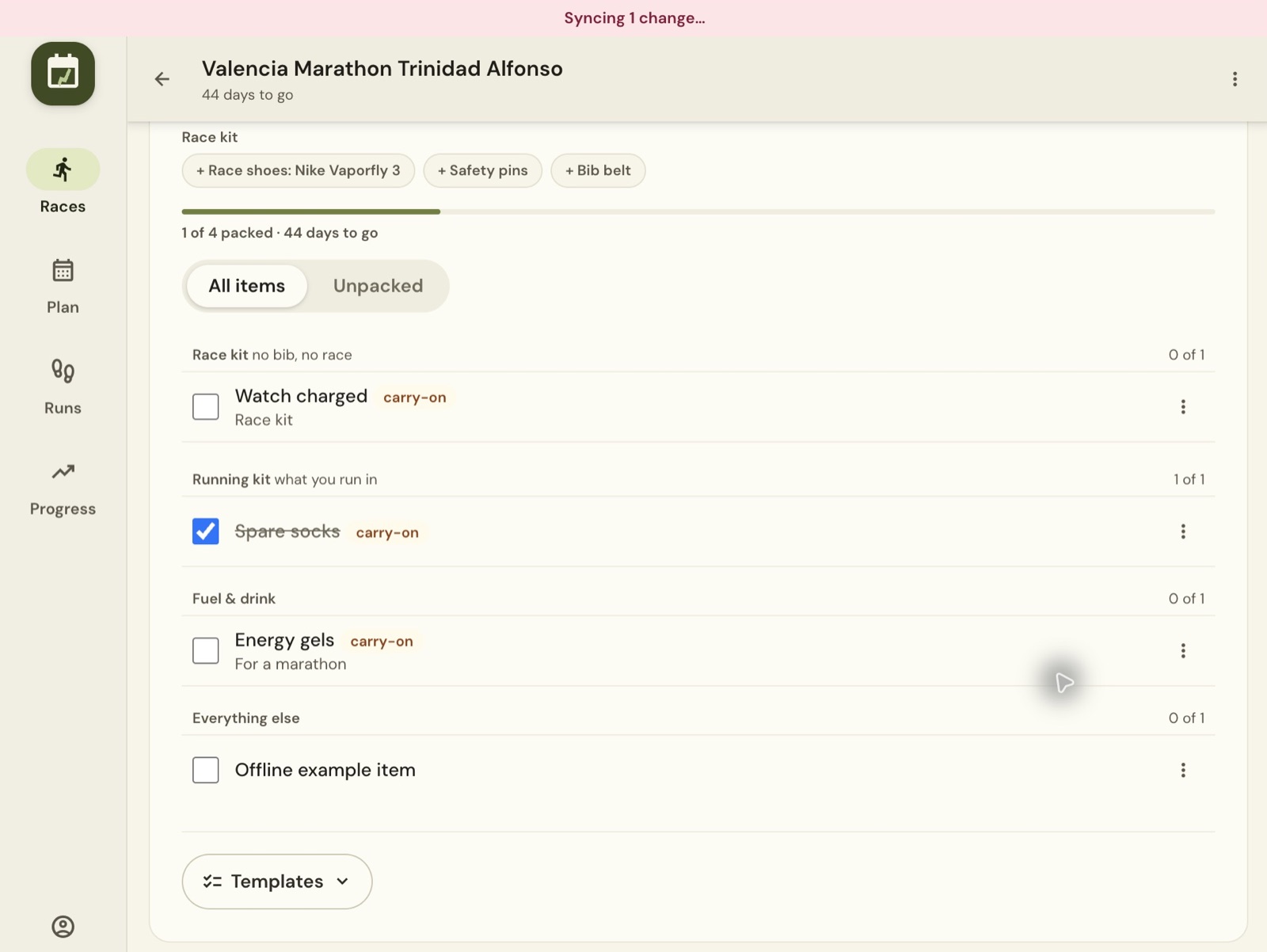
The list shows your local edit. The banner shows that sending it is still outstanding. Wait for the connection to return before you count on that edit being available elsewhere.
Reconnect and let the change finish
Return to a working connection and keep the app open while it sends the waiting change. The Syncing 1 change… banner clears once that outstanding edit has been sent.
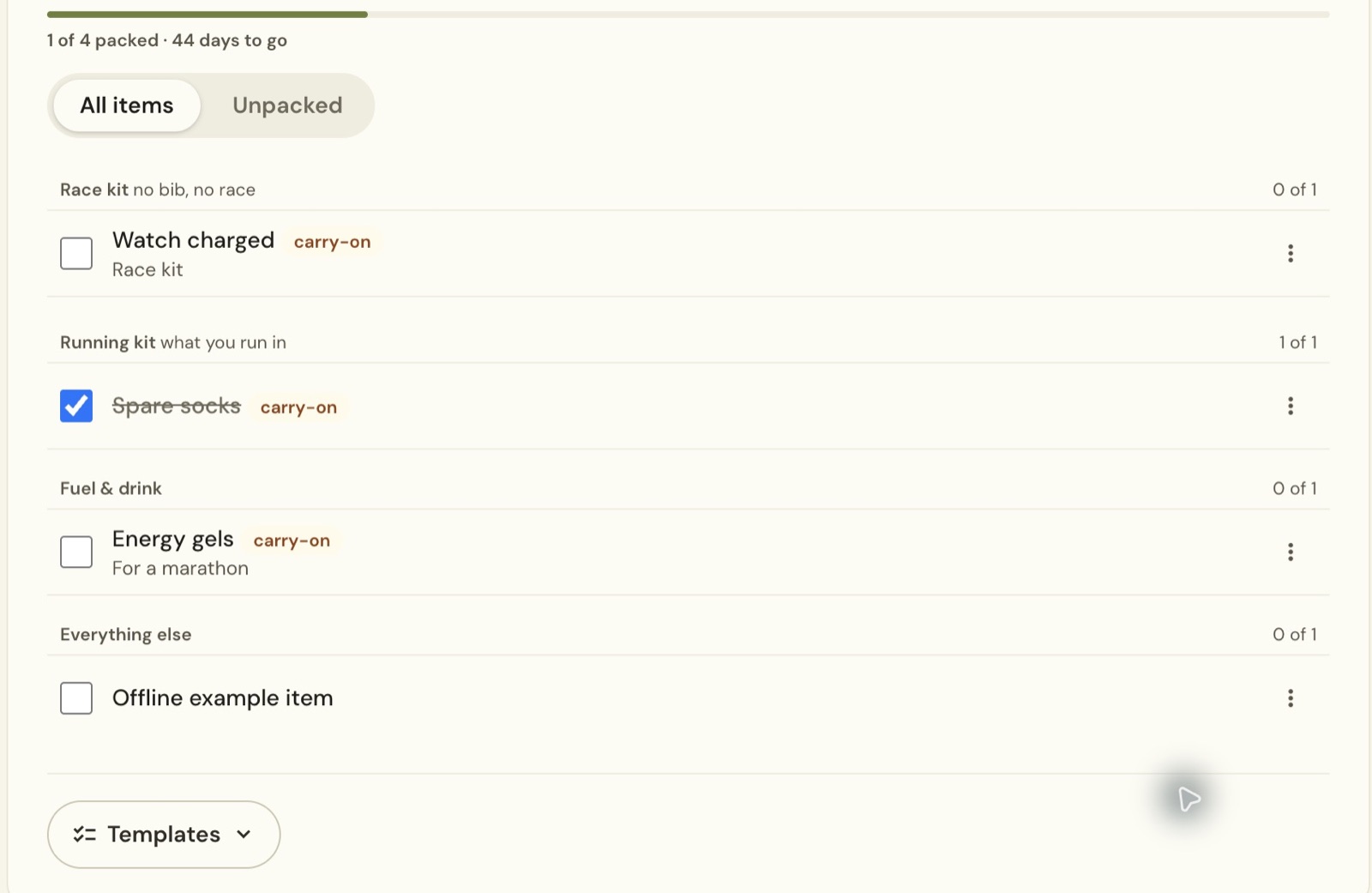
Open the race’s Packing tab again to check the result. The example item remained after a full page reload, with the list still showing one of four items packed.
Still stuck? Email [email protected] and say which page you were on.