Read Progress, fitness and recovery
Use Progress for an overview of your running, then switch to Fitness for longer-term trends or Recovery for today's readiness context. Expand a card for detail and use its help control to see how it is calculated.
Start with Overview
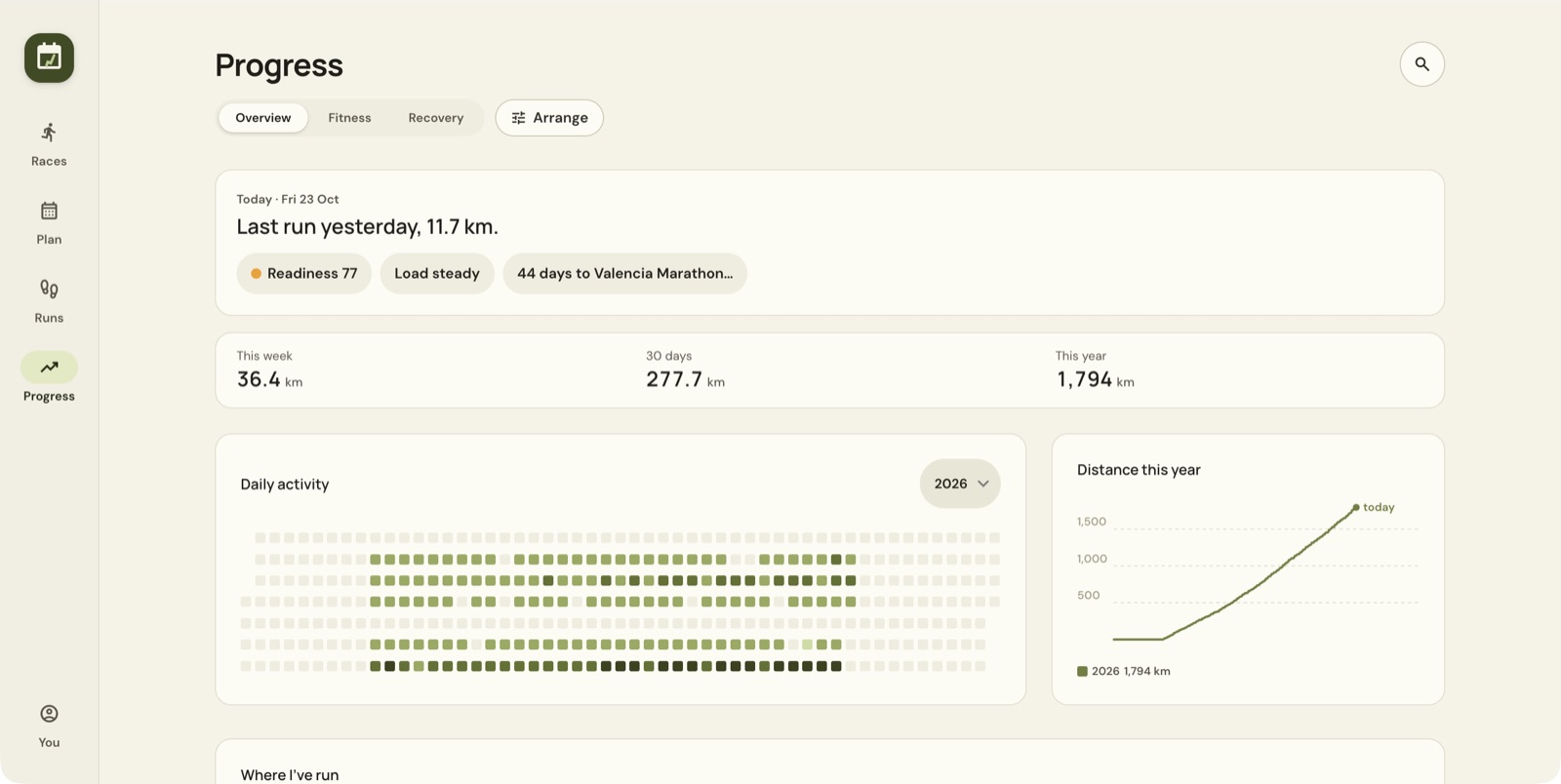
The top card links to readiness, load and your next race. This week opens Runs; the other totals summarise the last 30 days and current year. The daily heatmap shows runs by date, and its year selector changes the period.
Where I've run overlays recorded routes when route data exists. If it says no runs have a map, your runs are still there. Year in running is another way to explore the year's activity.
Open Fitness
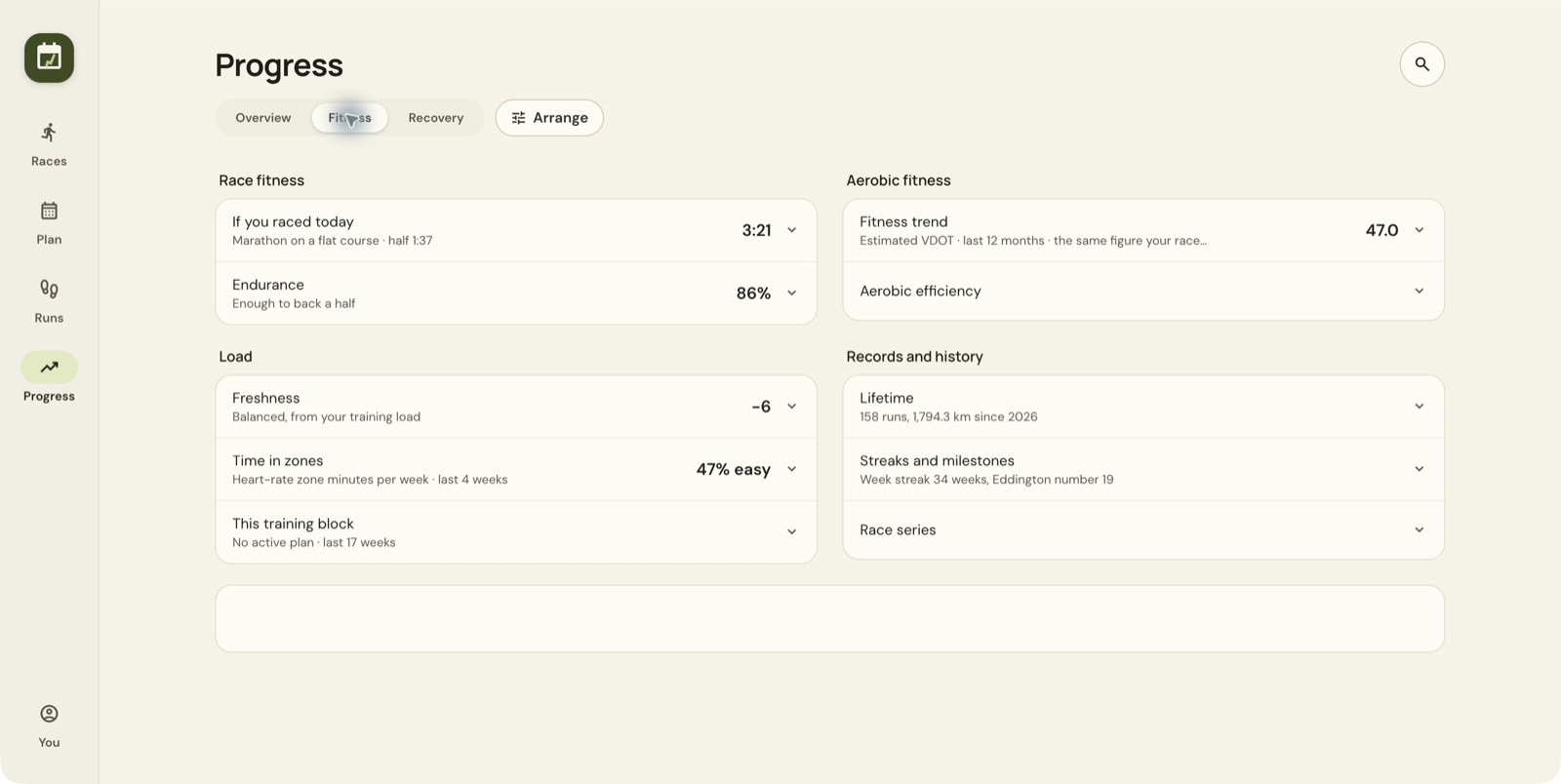
| Card | What it helps you inspect |
|---|---|
| If you raced today | Flat-course race-time estimates from current fitness |
| Endurance | Whether recent volume and long runs support those estimates |
| Fitness trend | Estimated VDOT over time |
| Aerobic efficiency | Smoothed speed per heartbeat on easy runs |
| Freshness | Longer-term training load compared with recent fatigue |
| Time in zones | Weekly heart-rate zone minutes |
| Records and history | Lifetime totals, streaks, milestones and race series |
Select a card to expand it. Arrange, where available, lets you rearrange the dashboard.
Read the fitness trend
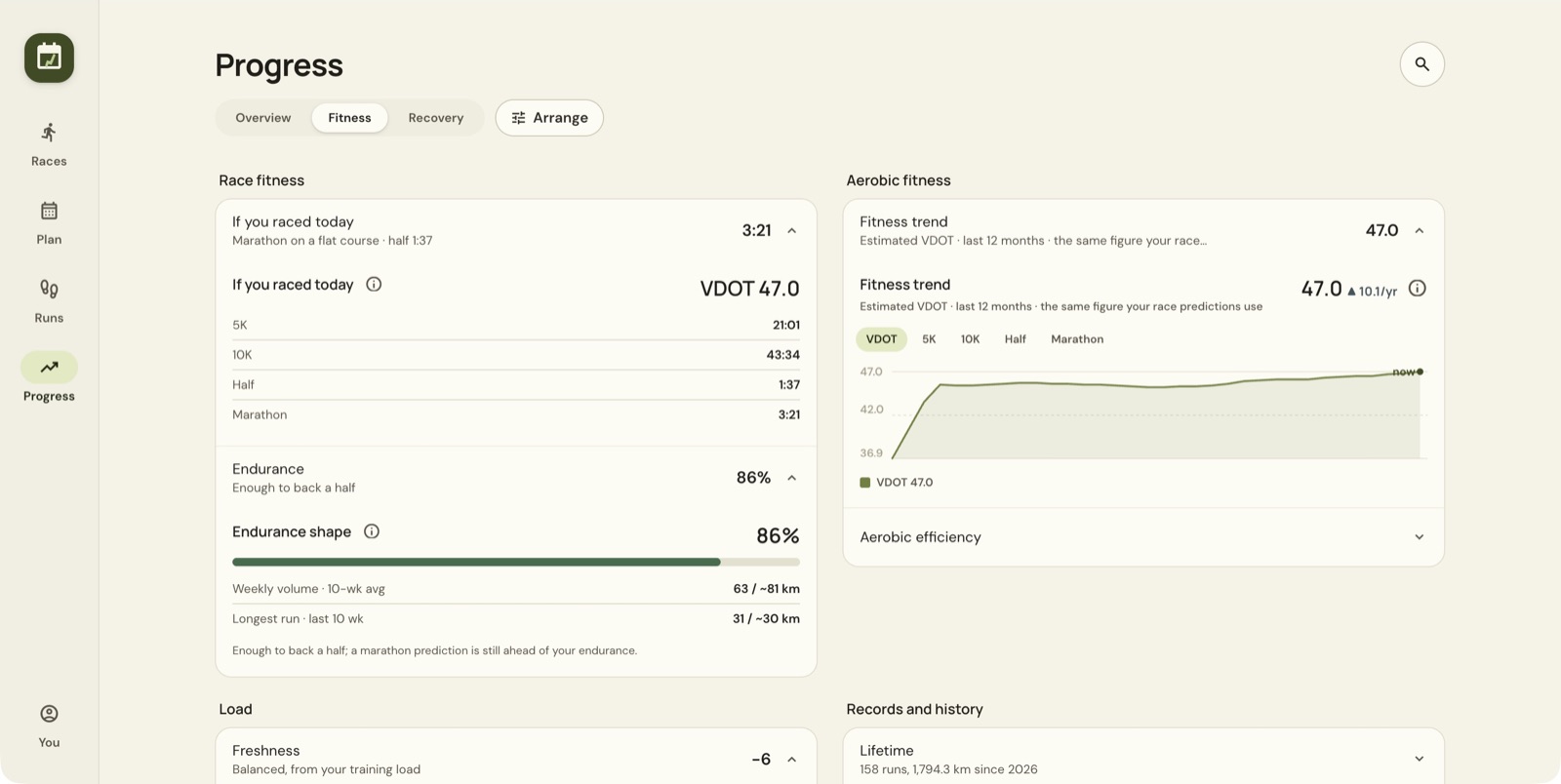
Use Show as to switch between VDOT, 5K, 10K, half marathon and marathon. They show the same fitness estimate in different ways. The app does not measure each distance separately.
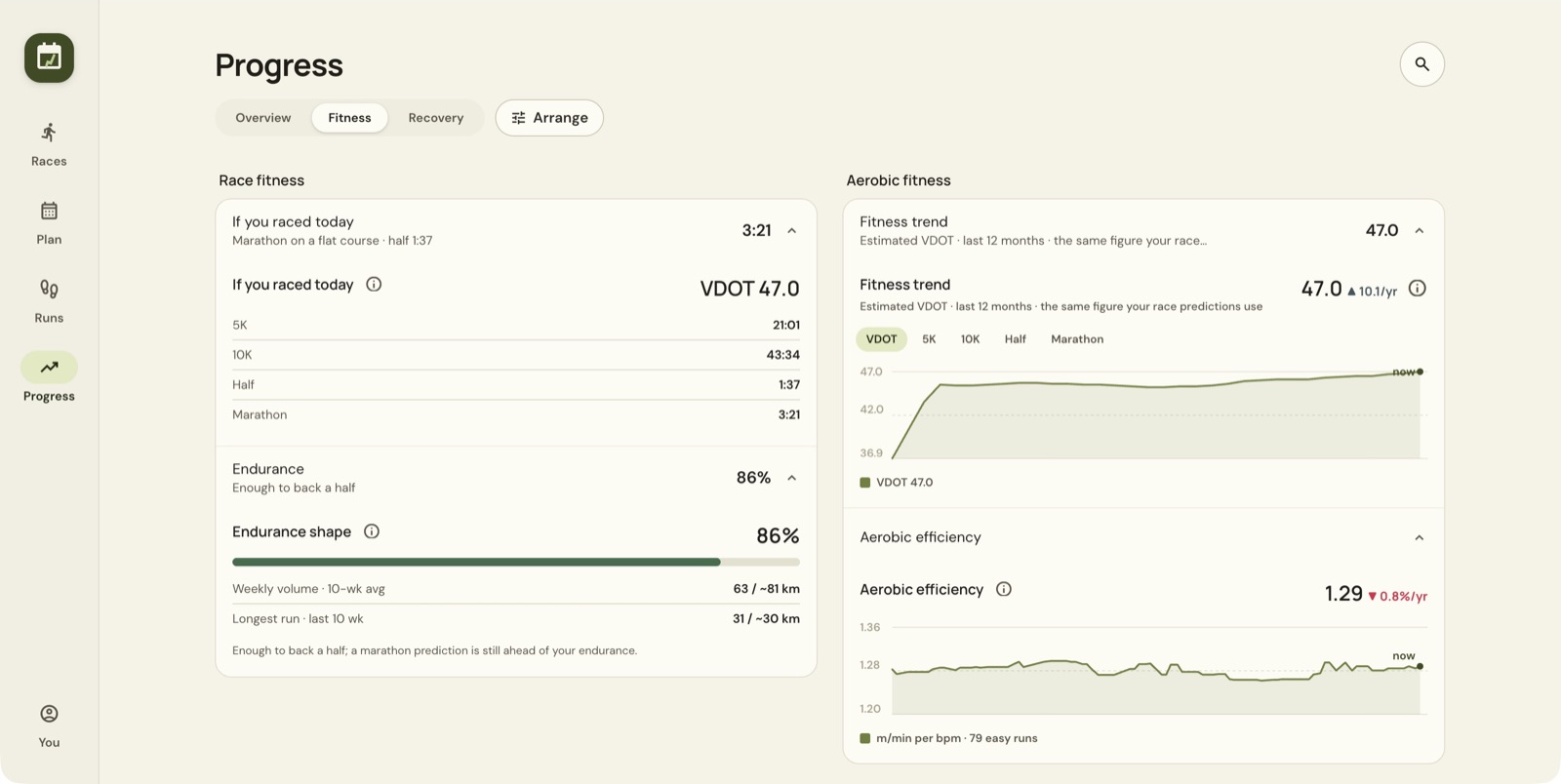
Aerobic efficiency is shown in metres per minute per heartbeat, using easy runs. The app describes a higher value as better efficiency. Check how many runs contribute and compare trends over time. A single reading proves little.
Understand freshness and load
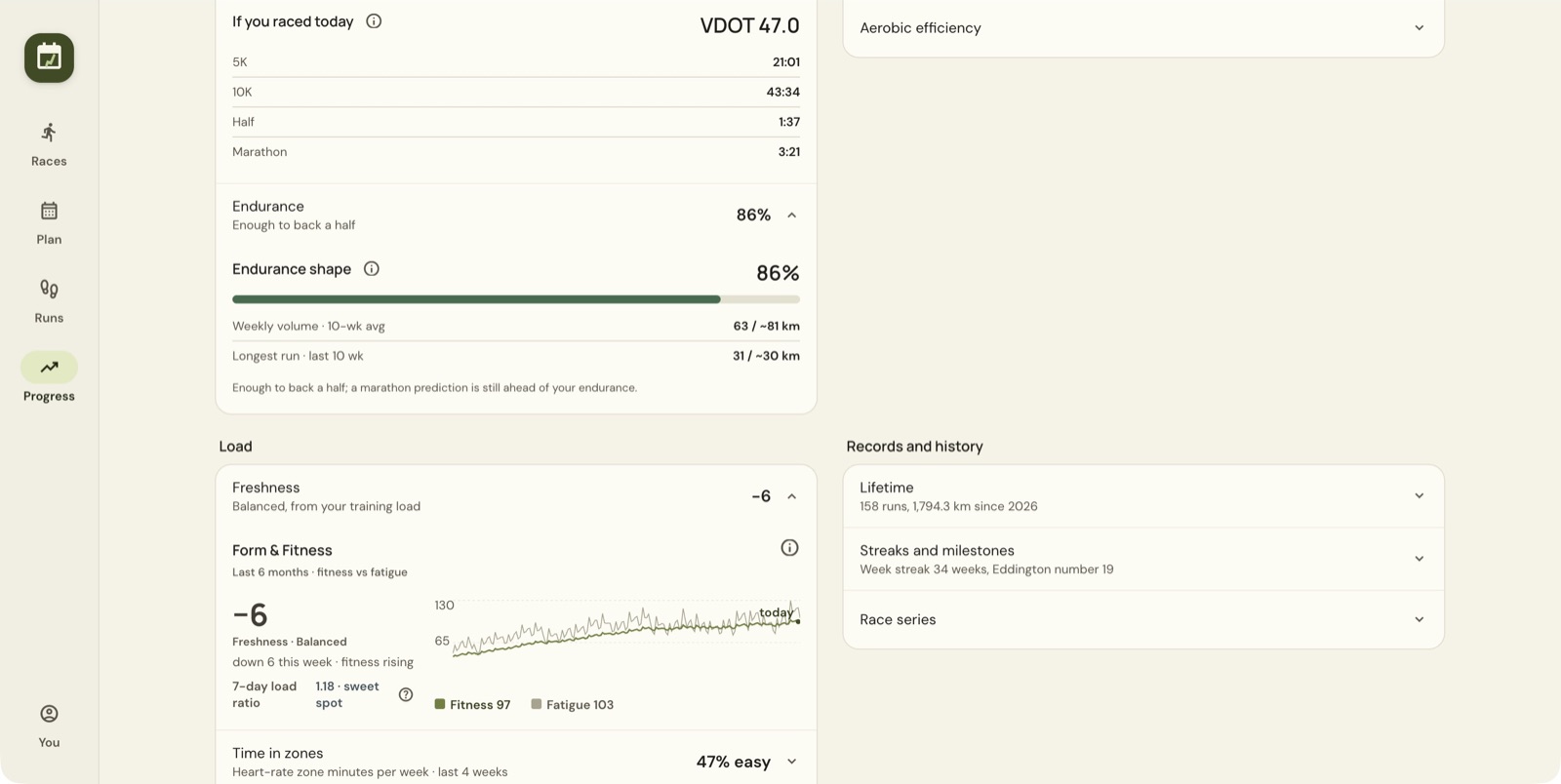
The app's help defines fitness as a 42-day average training load, fatigue as a 7-day average, and form/freshness as fitness minus fatigue. Positive form means you are fresher. A deeply negative figure means heavier recent loading.
Load here is based on grade-adjusted distance. Don't compare these numbers directly with another service's TSS, because they come from the app's own model. The 7-day load ratio compares recent loading with a longer baseline; open its help for the app's interpretation. A favourable label is no guarantee against injury.
Check Recovery and its data source
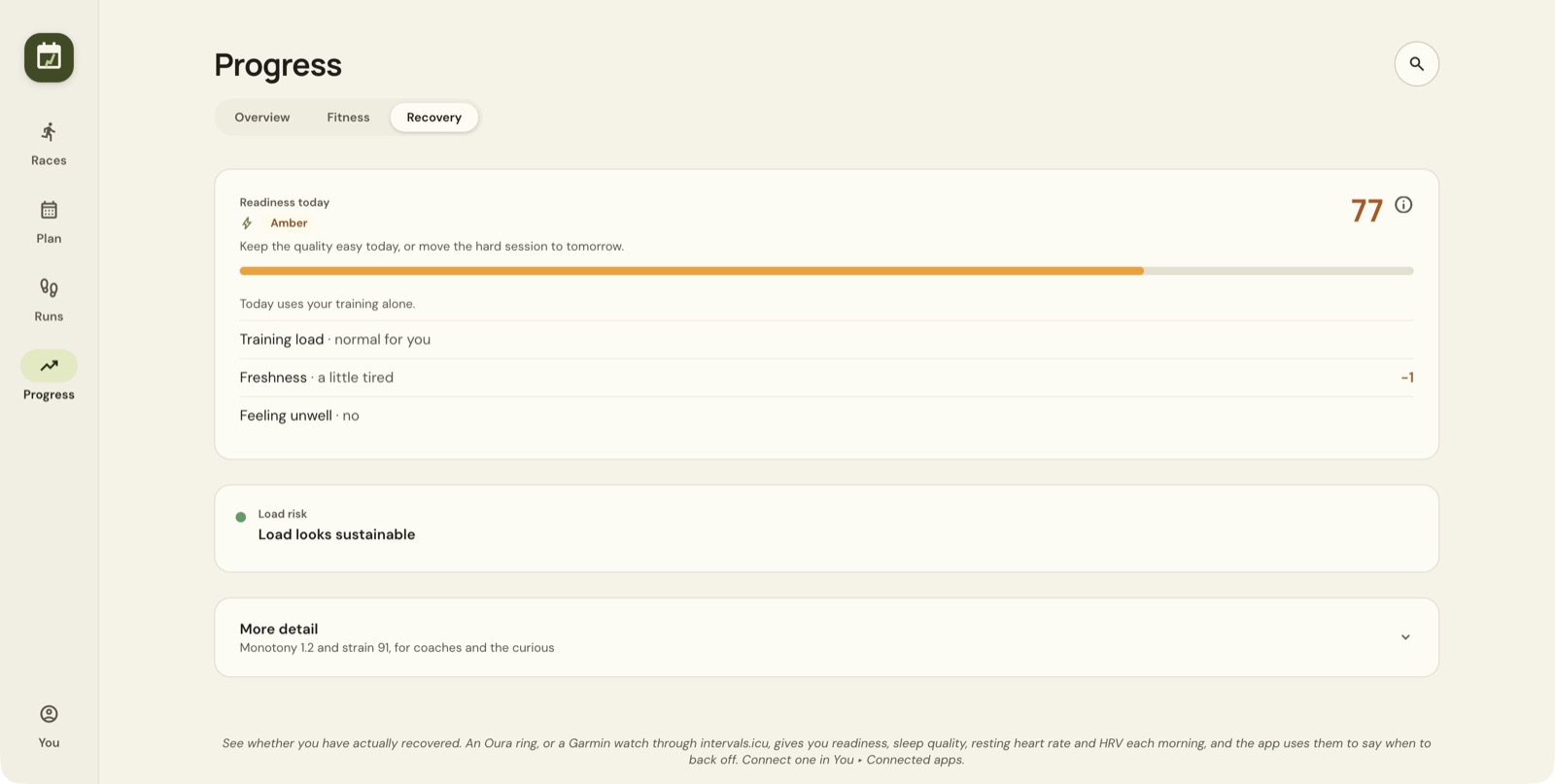
Read both the score and the explanation underneath. If it says Today uses your training alone, no overnight recovery measurements are connected, so the score comes from your training.
Readiness falls into three bands.
| Score | App label | App interpretation |
|---|---|---|
| 80 or above | Green | Train as planned |
| 65 to 79 | Amber | Keep quality easy or move it |
| Under 65 | Red | Prioritise recovery |
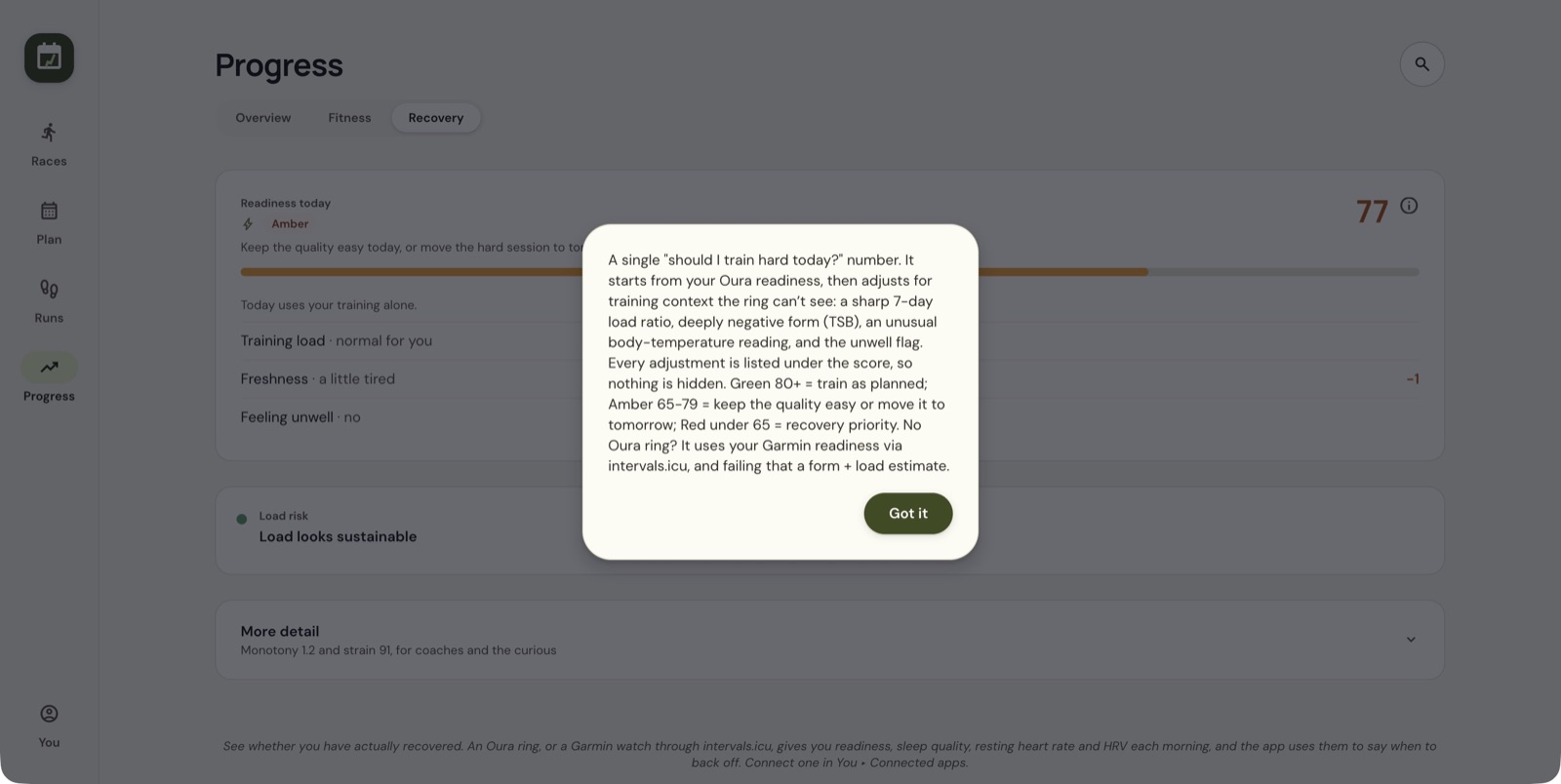
The help says the app prefers Oura readiness, then Garmin readiness through intervals.icu, and falls back to training context when neither is available. Adjustments can include load, freshness, unusual temperature and the unwell flag. Read the listed contributors so you know what this particular score includes.
Open You → Connected apps to review integrations. The Recovery view also offers More detail for monotony and strain. A missing sleep or HRV measurement is missing data, not a zero result.
If a chart is missing or unexpected
Check which data source is connected, whether recent runs include the required measurements, and whether a run is counted towards fitness. If zone values look off, review your maximum heart rate in You → Profile. Readiness and load come from recorded data, so weigh them against how you feel.
Still stuck? Email [email protected] and say which page you were on.